Help · Billing & account
Billing, subscription and your account
Plans and what they unlock, upgrading, managing or cancelling a subscription, downloading your data, and deleting your account.
Plans
Prices and what each plan includes are on the pricing page. In short: Free keeps a small stack, Premium a full one, and Household covers up to four adults. A plan’s limits show inside the app as Upgrade plan prompts where a feature is gated.
Upgrade
From the account menu choose Upgrade plan. Payment runs through Stripe’s checkout in US dollars; your card details never touch our servers. The plan unlocks as soon as payment completes.
Manage or cancel
Manage subscription opens your billing portal: update the card, switch monthly and yearly, or cancel. A cancelled plan runs to the end of the period you paid for, and refunds follow the refund policy. A receipt is emailed for every payment.
Your data and account
From the account menu choose Your data & account.
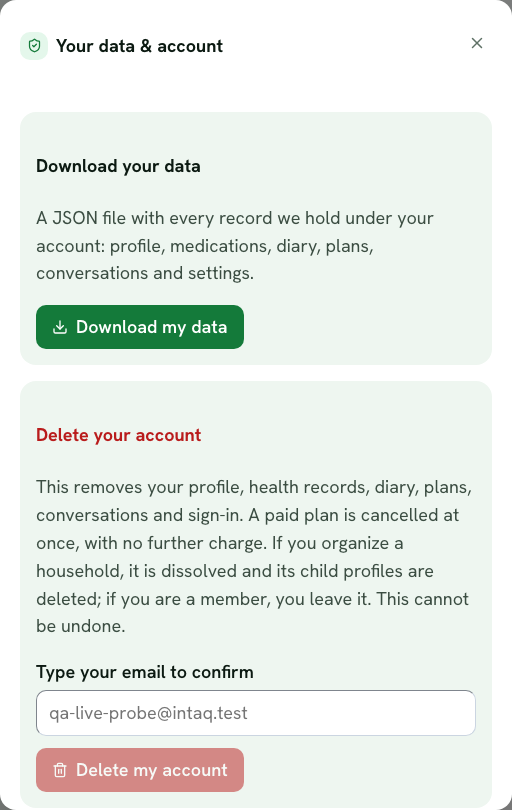
- Download my data saves a JSON file with every record we hold under your account: profile, medicines, diary, plans, conversations and settings. You can download it up to five times an hour.
- Delete my account removes your profile, health records, diary, plans, conversations and sign-in. A paid plan is cancelled at once with no further charge. If you organize a household it is dissolved and its child profiles are deleted; if you are a member, you leave it. Type your email to confirm; the button stays disabled until it matches. This cannot be undone.
Email preferences
The Daily briefing section of the account menu controls email. Turning email off stops everything, including urgent safety alerts by email; you still see those in the app.
Still stuck? Contact us. Nothing in the app is medical advice; read the medical disclaimer.